




Geometry: Black Wave is a wave-control obstacle game where you guide a small arrow through black-and-white danger paths by holding to rise and releasing to fall.
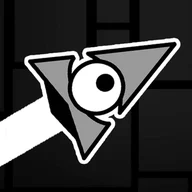
Here's a quick look at the game:
What is Geometry: Black Wave?
Geometry: Black Wave focuses on the wave form from Geometry Dash-style games. Your icon moves forward automatically, and you control only its diagonal movement. Hold the input to fly upward. Release it to fly downward. Every movement creates a sharp zigzag path.
The game uses dark visual themes and tight obstacle layouts. Spikes, gears, monsters, walls, and narrow tunnels block the route. One touch usually ends the attempt and sends you back, so the main challenge is clean timing through each section.
How to Play Geometry: Black Wave
Start a level and let the wave move forward. Your only task is to guide its height. Press and hold to climb diagonally. Release to drop diagonally. The wave never floats straight, so you must plan every rise and fall before the next wall arrives.
Your goal is to reach the portal or end point without colliding with anything. Some levels use wider spaces that let you correct mistakes, while harder sections demand short, exact taps. Since the route is fixed, each failed run helps you remember where the next tight gap begins.
Pay attention to long open areas as well as narrow tunnels. Holding for too long in open space can place the wave at a bad angle for the next obstacle. Try to keep a steady rhythm and make corrections early, before the path forces a sudden move.
Controls
| Key | Action |
|---|---|
| Left Mouse Button | Hold to fly upward |
| Spacebar | Hold to fly upward |
| Touch Screen | Hold to fly upward |
| Release Button | Fly downward |
Tips of Geometry: Black Wave
- Tap in short pulses when the tunnel becomes narrow.
- Memorize the start of hard sections so you enter them at the right height.
- Avoid long automatic drops; they often lead into the floor or a spike.
- Play easier levels first to build stable wave timing.